⌂
Host firmware
muOS owns boot, native navigation, application launch, storage conventions and recovery.
HOST / DEVICE QWASARVOID DESK / FIELD PORTAL
THE MACHINE BEHIND THE INTERFACE
Void Desk runs as an application inside the host firmware. QWASAR provides the interface and services while the firmware keeps control of boot and recovery.
The layers have different lifecycles and trust boundaries. A visual contract is not proof that every adapter or capability is already complete.
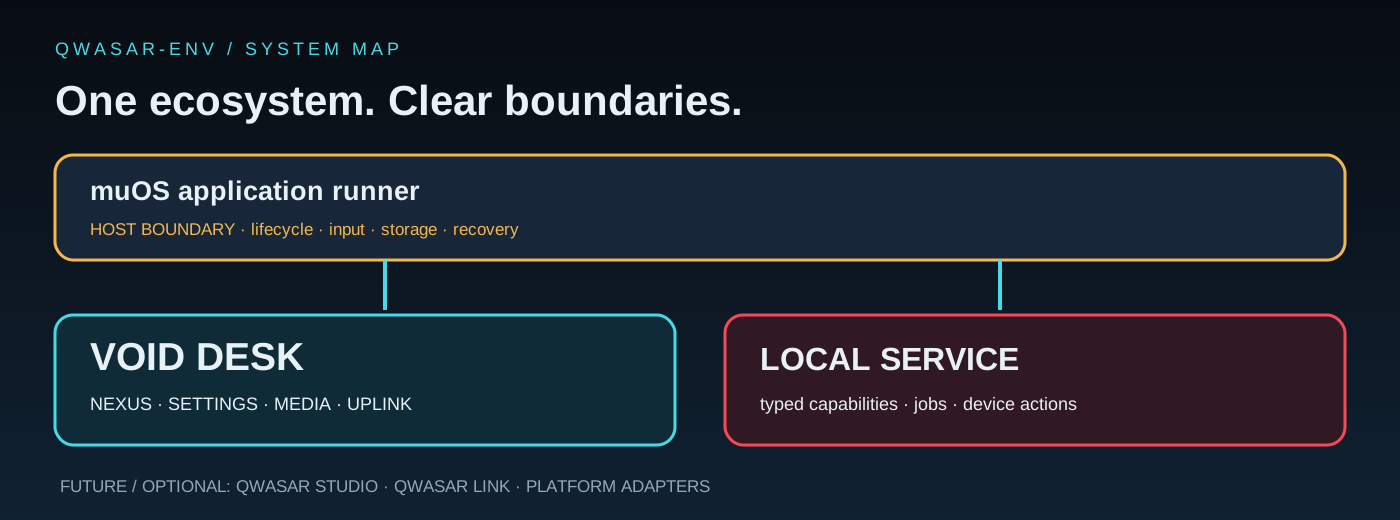
muOS owns boot, native navigation, application launch, storage conventions and recovery.
HOST / DEVICEThe handheld client: NEXUS navigation, Pygame reference interface, tools, media and session hand-off.
APPLICATION / UIA typed bridge for selected host capabilities, system state, jobs and integrations. One canonical owner per capability.
PROCESS / CAPABILITIESShared schemas, UI composition, profiles and module metadata. Adoption varies by frontend and feature.
CONTRACTS / ECOSYSTEMThe UI engine should not become the owner of host services. Frontends render state and route user intent through the supported bridge.
The reference handheld experience and current primary path for device-facing interaction.
A parallel frontend path under development. It is not feature-equivalent and should not be presented as a complete replacement.
Trust boundary — a child process can improve responsiveness and crash containment, but process separation alone is not a security sandbox. Executable third-party modules need a separately reviewed permission and isolation model.
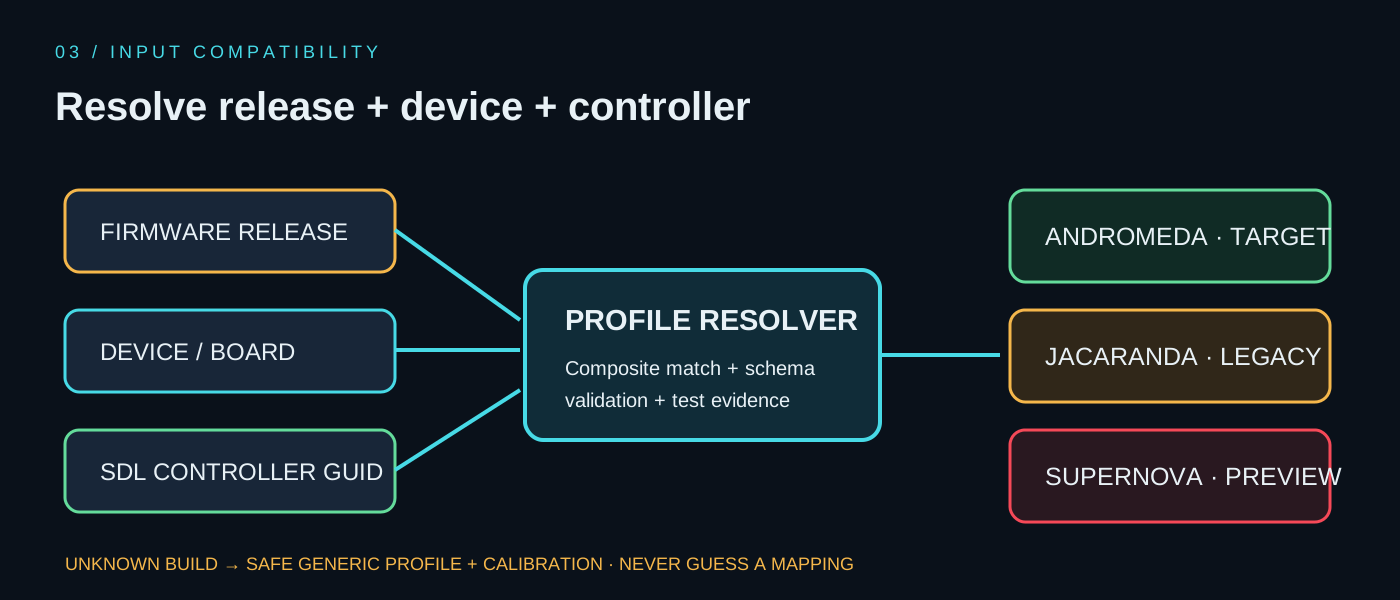
Controller mappings can vary by firmware release, hardware model and SDL controller GUID. A safe resolver must retain that context and expose uncertainty.