START SESSION
Launch an independent desktop, workspace or terminal session with an explicit lifecycle and safe return path.
 QWASARVOID DESK / FIELD PORTAL
A PROPOSAL, NOT A RELEASE
Planned destinations, system areas and delivery stages for v12. This is a proposal, not a released package.
Each destination owns a clear user intent and routes through shared services. The map is an information architecture proposal, not a screenshot of the current interface.
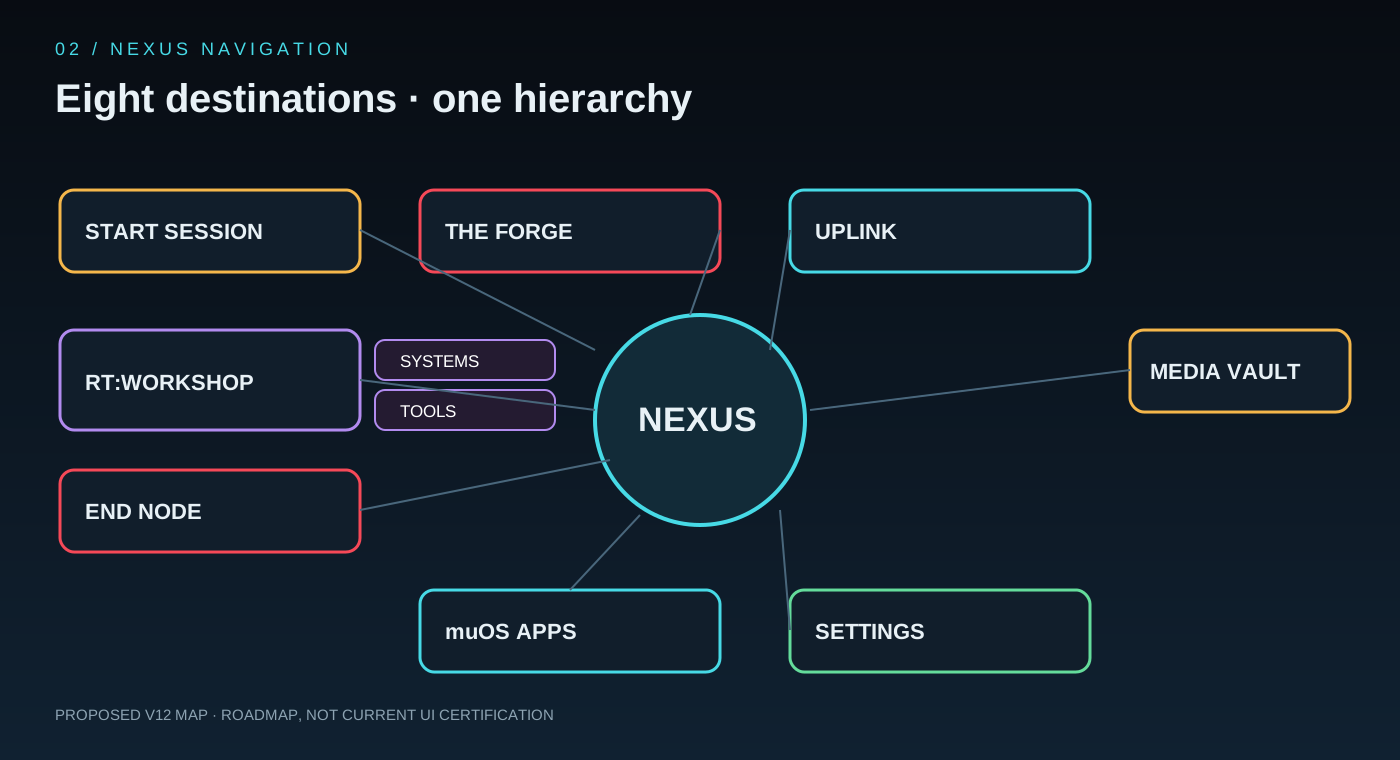
Launch an independent desktop, workspace or terminal session with an explicit lifecycle and safe return path.
Package, build, install, update and remove applications through validated recipes and visible job status.
One operations room for Wi-Fi, hotspot, Bluetooth, PC companion, file bridge, Tailscale, Syncthing and diagnostics.
Browse local media, libraries, playlists and supported playback integrations.
The Workshop combines system maintenance and user/developer utilities through two focused satellites: SYSTEMS and TOOLS.
The cockpit for general, appearance, input, display, identity, device/OS, QWASAR, privacy and recovery.
Discover native handheld applications and hand off launch requests through the firmware's supported flow.
Exit, restart, reboot and power off with clear confirmation and a recoverable return to the host firmware.
RT:WORKSHOP should not become a drawer of unrelated utilities. Its two satellites separate device care from user and developer tools.
Telemetry and diagnostics with clear provenance, plus maintenance operations with explicit safety boundaries.
Utilities that help users and developers work on the device without requiring a full desktop session.
A release is a chain of evidence. Feature presence, CI success and hardware certification are different claims.
Device detector, semantic actions, schemas and baseline documentation.
Services, lifecycle, jobs, shell and executor boundaries.
Navigation, controller focus and global operation overlay.
Network services, telemetry and the SYSTEMS / TOOLS satellites.
Identity, profiles, privacy, device cockpit and migrations.
Shared UI and service contracts with explicit capability ownership.
Package, upgrade, rollback and target device qualification.
Safety invariant — keep the native firmware boot, launcher and recovery path available. Do not replace bootloader partitions or silently change active controller mappings.